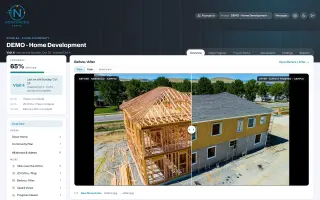
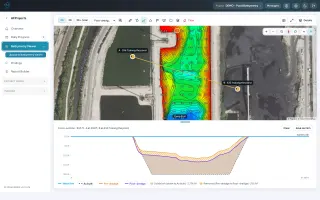
UERSIS is drone project management software for inspection and survey teams: one place for the scope, the crew, the progress and the handover.
Ask a drone or inspection company where a job lives and you usually get a list: the scope is in an email, the crew is on a whiteboard, the photos are in a shared drive, progress is in someone's head and the report is a Word file on one laptop. Every handoff between those places is where something gets lost.
In UERSIS, a job is one project, and everything about it sits on that project's Overview. The work scope, the crew and what each person did, the project contacts and the paperwork behind the job, like the PO and the drawings. Your client never sees that paperwork. They see the parts you choose to publish.
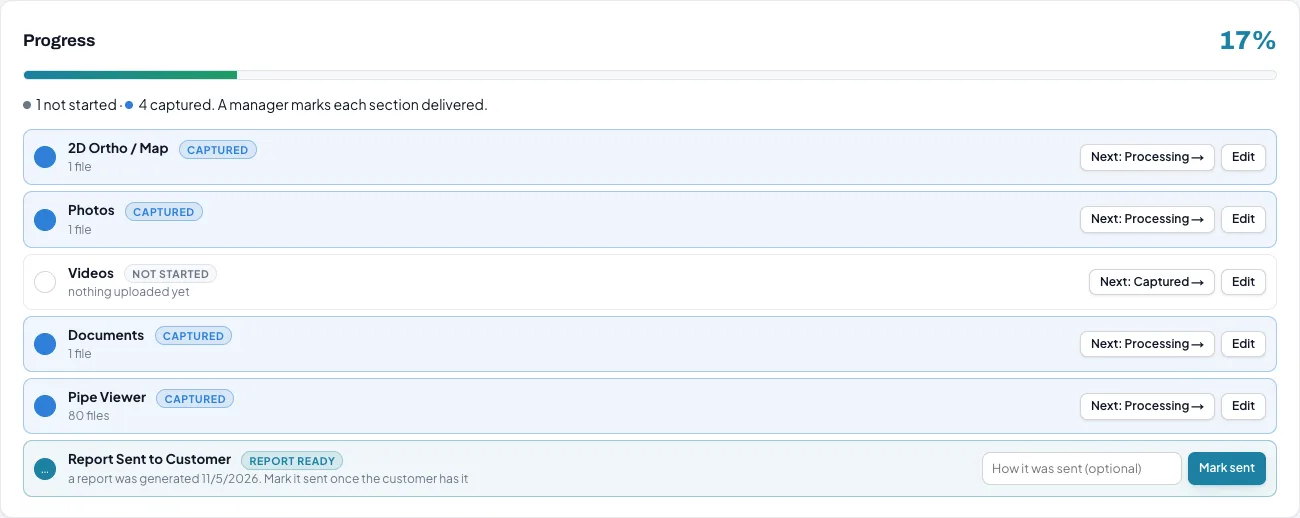
Every section of the job moves through the same five stages: Not started, Captured, Processing, In review and Delivered, with a due date and a team note on each. The progress percentage only reaches 100% when every section is delivered and the report is marked as sent. Your client sees each stage and due date, so the "where are we at?" call stops happening.
Handover happens in the same place. Build the report from the project's own files, share it online, and let the client sign it off with their name and the date. The sign-off prints on the cover of the PDF. Months later, when someone asks what was delivered and when, the answer is one click away instead of an inbox search.
Questions
Is UERSIS just a file sharing service?
No. File sharing hands over files when the job is done. UERSIS runs the job in between: the work scope, the crew, a Daily Progress page for every day, messages that stay with the project, each section signed off, and the report at the end with the deliverables alongside.
Can my crew update a job from the field?
Yes. The field app is a phone version of your Hub. Crews upload photos and video straight into the project, even with no signal, and uploading checks them in so the project shows who was on site each day.
Can my client sign off the work?
Yes. Your client opens the report online, types their name and accepts it. The cover then shows who accepted it and when, online and in the PDF, and your team gets a message.